
Duration: 2 minutes
Based on:
1. Set-Up
1.1
1.2 Restore state from backup copy
Copy the code, right-click in PowerShell window to paste it and press Enter to execute
cd ~/Documents/git-workoutsCopy-Item bak-1.2 current -Recurse -Forcecd current2. Add content
2.1 Open README.md in Notepad
Type in PowerShell prompt and press Enter to execute
notepad README.mdAdditional Info
Notepad is a basic text editor included in all versions of Windows.
2.2 Add title into the file
Type in the Notepad window
# Git WorkoutPress Ctrl+S to save changes
Press Ctrl+W to close the window
2.3 Check current status of the Working Tree
Type in PowerShell prompt and press Enter to execute
git status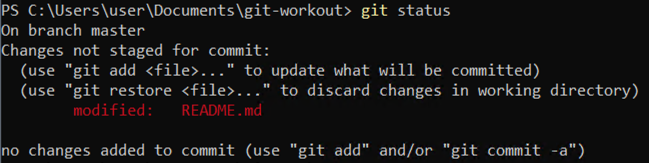
2.4 Stage file
Type in PowerShell prompt and press Enter to execute
git add README.md2.5. Commit changes without editor
Type in PowerShell prompt and press Enter to execute
git commit -m "Add title into README.md"Additional Info
The -m parameter allows to specify one-line commit message without opening a text editor.
2.6 View commit history of the repository
Type in PowerShell prompt and press Enter to execute
git log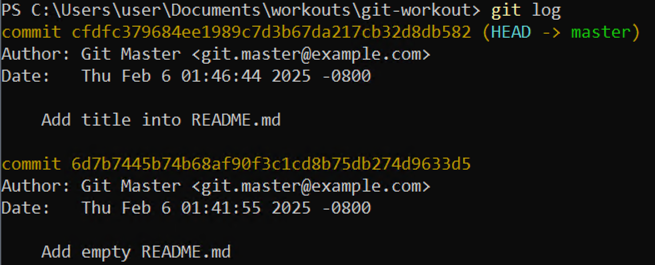
3. Wrap-Up
3.1 Make backup copy
Copy the code, right-click in PowerShell window to paste it and press Enter to execute
cd ..Copy-Item current bak-1.3 -Recurse -ForceRemove-Item current -Recurse -Force